Your Thoughts, Organized Effortlessly
Powerful note-taking that works where you work
Smarttabs Notes is your always-available digital notebook that understands how you work


1. Product Overview
1.1 Core Philosophy
Smarttabs Notes is built on two fundamental principles:
Contextual Capture
Capture thoughts without breaking your workflow. Notes automatically associate with the webpage you're viewing.
Instant Recall
Powerful search and retrieval tools surface the right information when you need it.
1.2 Target Users
Smarttabs Notes is designed for:
| User Type | Use Case | Key Benefits |
|---|---|---|
| Researchers | Collecting and organizing web sources | Citation tracking, source organization |
| Students | Study notes and research compilation | Topic organization, quick review |
| Professionals | Meeting notes and project tracking | Task management, knowledge retention |
| Writers | Idea capture and content development | Inspiration preservation, draft organization |
Getting Started
Quickly access your notes whenever inspiration strikes
Keyboard Shortcut
Press Ctrl + Shift + Y to toggle the notes panel
Toolbar Button
Click the notes icon that pops up from the Smarttabs main icon launcher (when hover) in you browse page

Core Features
Everything you need for effective note-taking
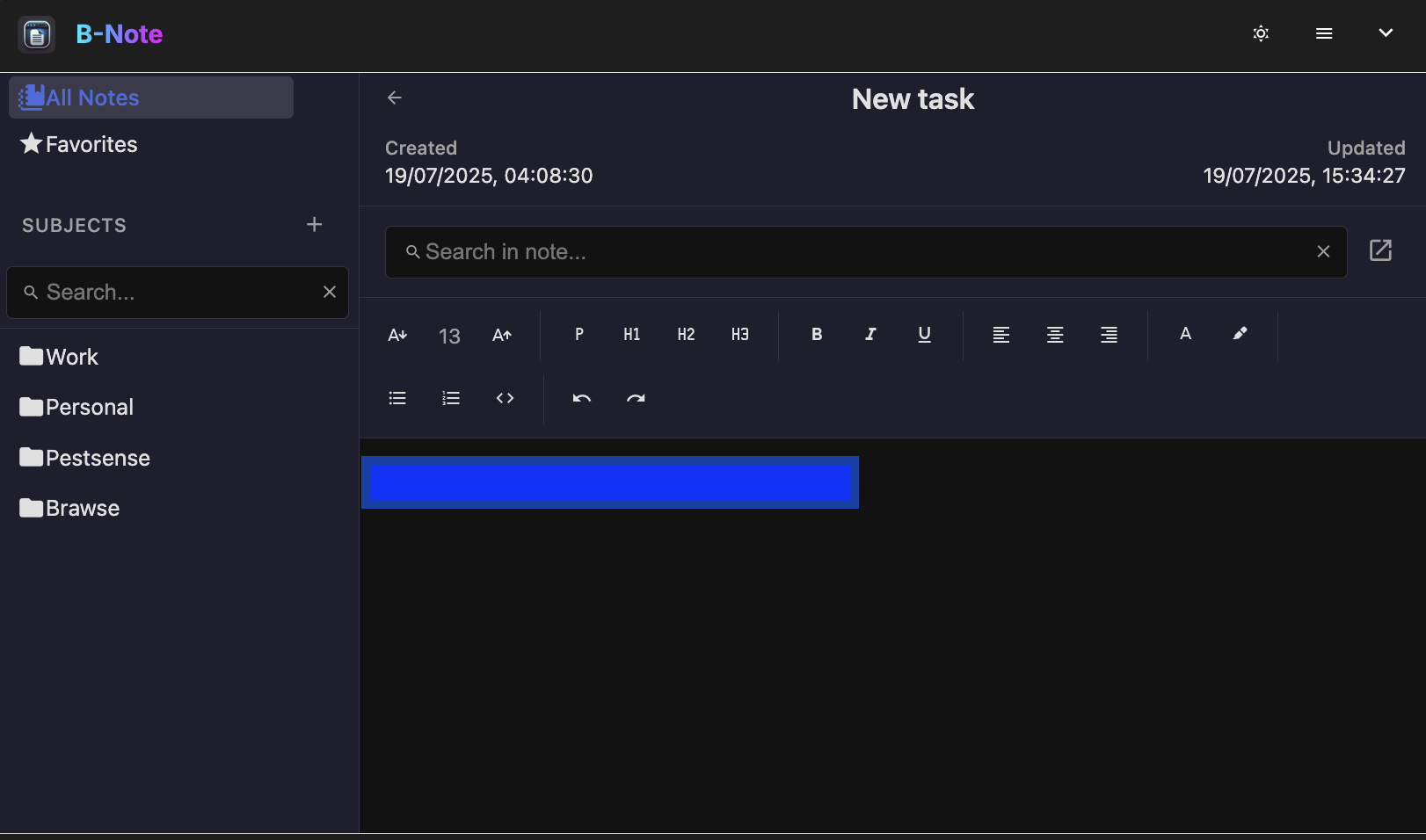
Rich Text Editing
Format your notes with headings, lists, code blocks, and more:
- Multiple heading levels for structure
- Bulleted and numbered lists
- Code blocks with syntax highlighting
- Text alignment options
- Highlighting and text colors
Note Management
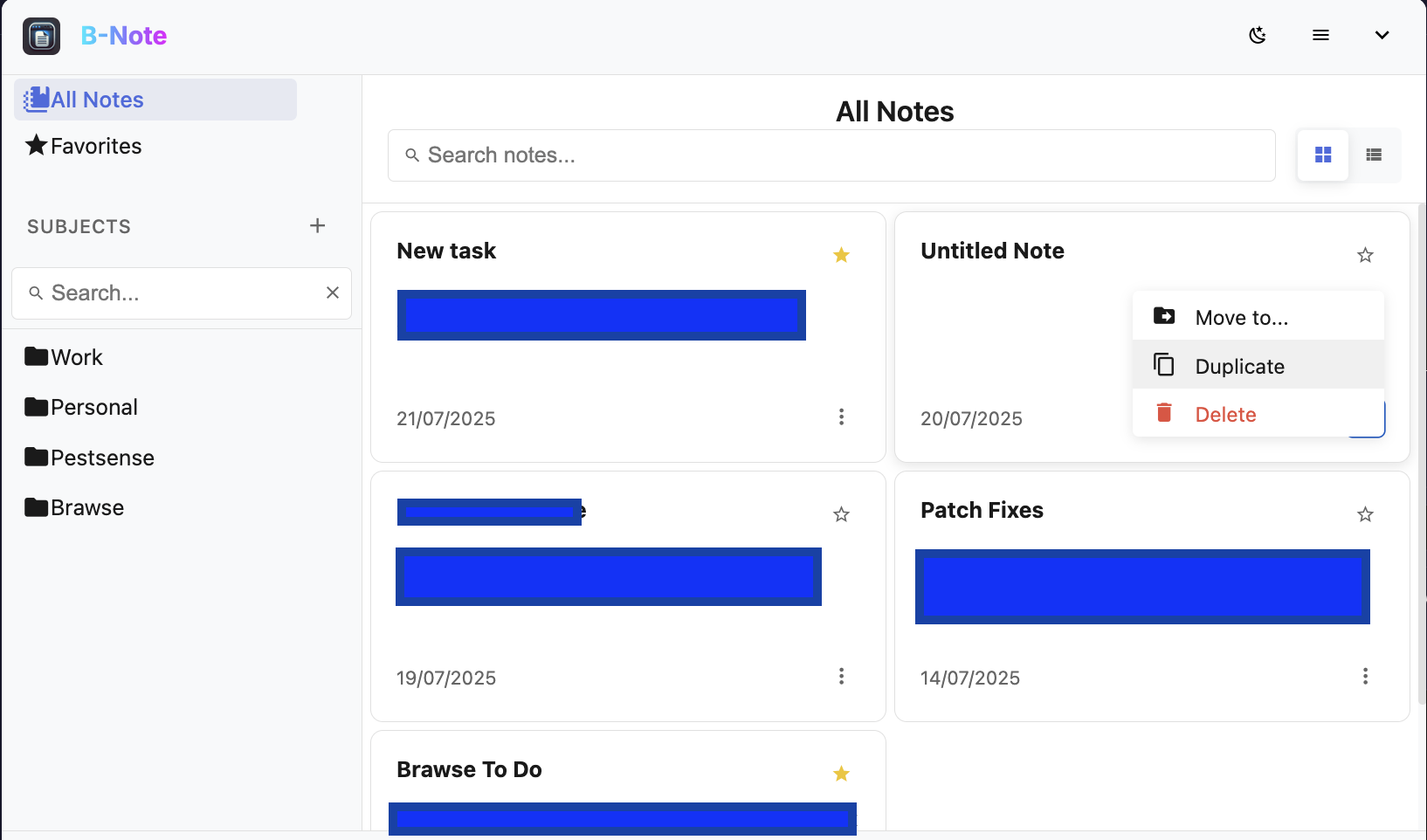
Easily organize and work with your notes:
- Create unlimited notes in any subject
- Mark notes as favorites for quick access
- Duplicate existing notes with one click
- Full-text search across all notes
- View edit history and restore previous versions
Advanced Organization
Keep your notes structured and accessible
Subjects
Organize notes into customizable subjects:
- Create nested subject hierarchies
- Drag and drop to reorganize
- Quickly filter by subject
Favorites
Mark important notes for quick access:
- Star notes to add to favorites
- Access all favorites in one place
- Favorites appear at the top of lists
Moving Notes
Easily reorganize your notes:
- Duplicate notes with one click
- Move notes between subjects
- Delete unwanted notes
Full-Screen Preview
View all notes in a subject at once:
- Open subject in full-screen mode
- Side-by-side note browsing
- Quick navigation between notes
Export & Share
Flexible options for using notes elsewhere:
- Export current note as PDF
- Print notes with clean formatting
- Copy to clipboard with one click
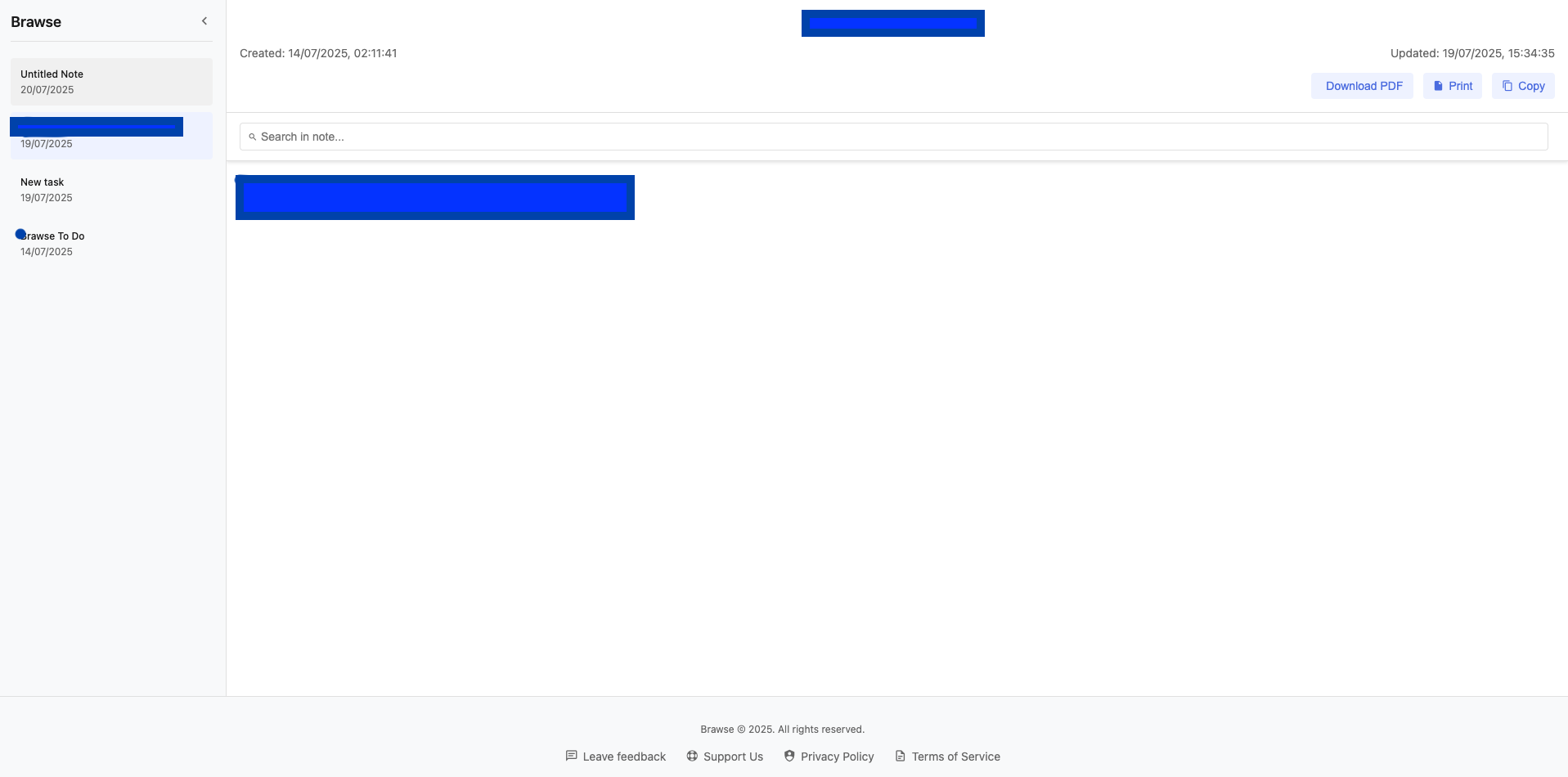
Browse all notes in a subject with the full-screen preview
Customization
Make Smarttabs Notes work your way
Dark & Light Modes
Choose the perfect theme for your environment:
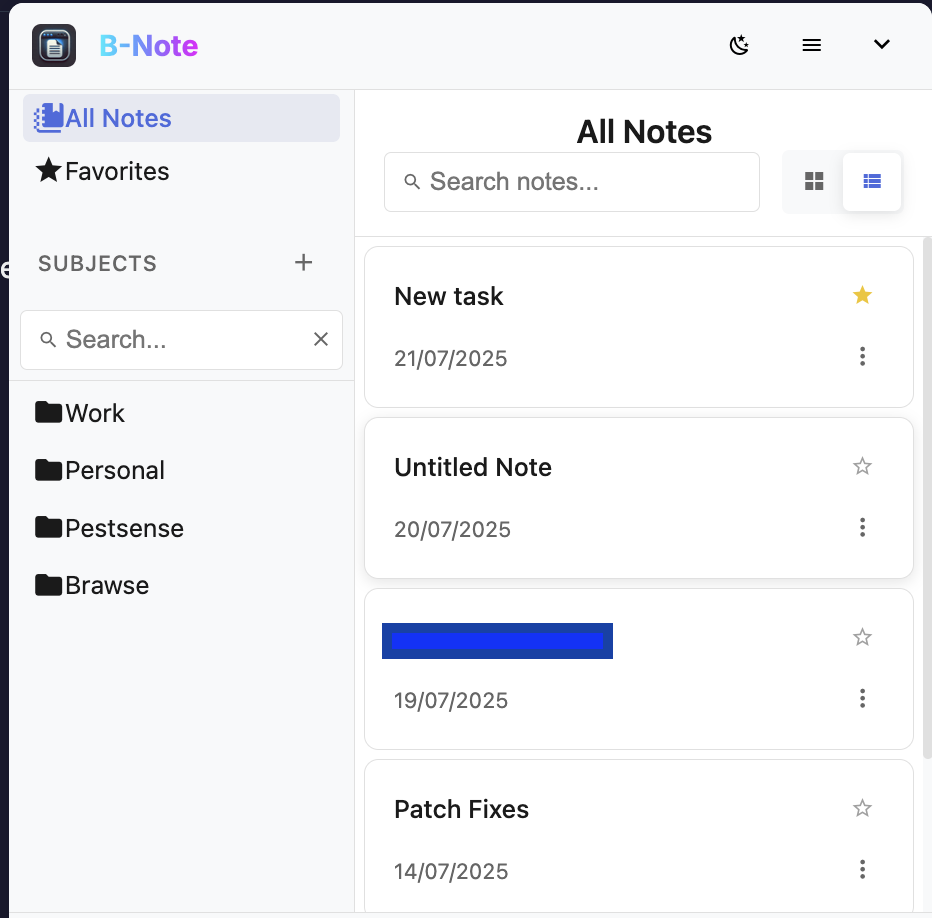
Light Mode
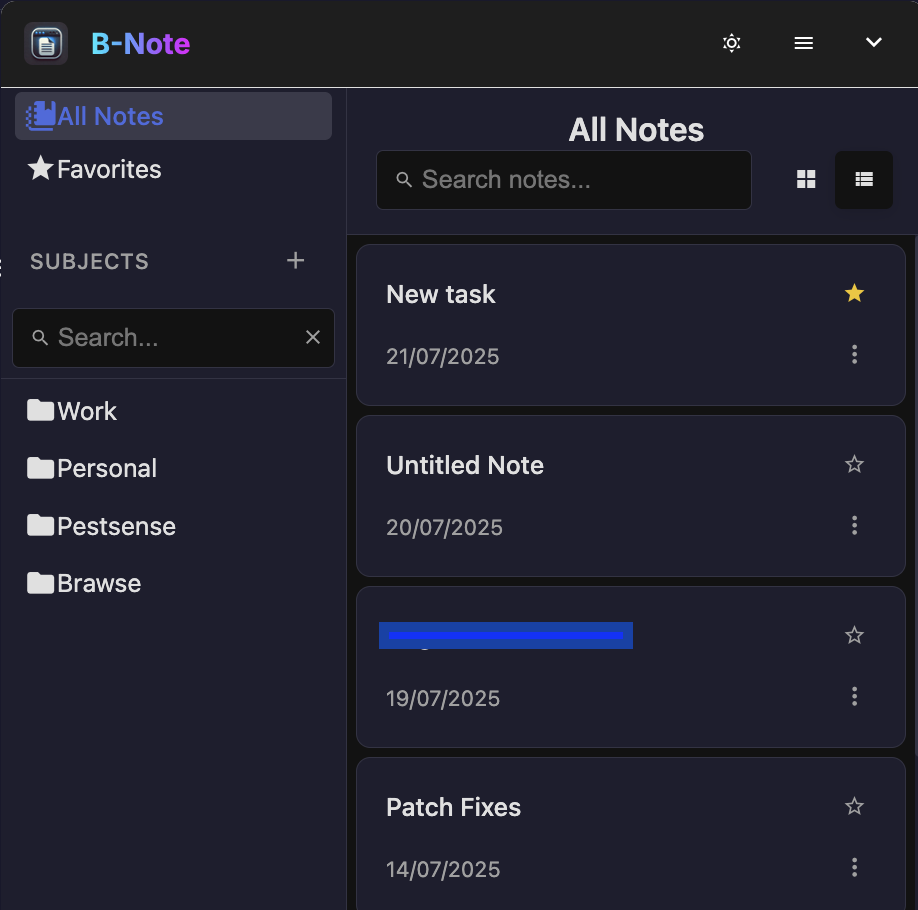
Dark Mode
Layout Options
Customize how you view and work with notes:
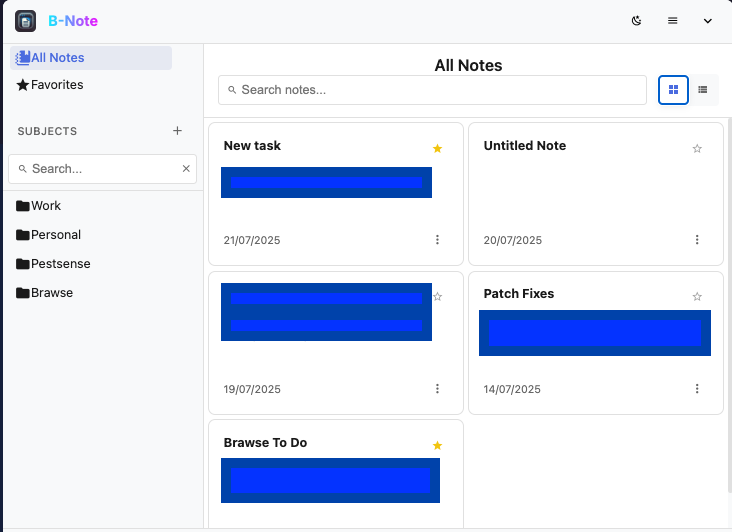
Grid View
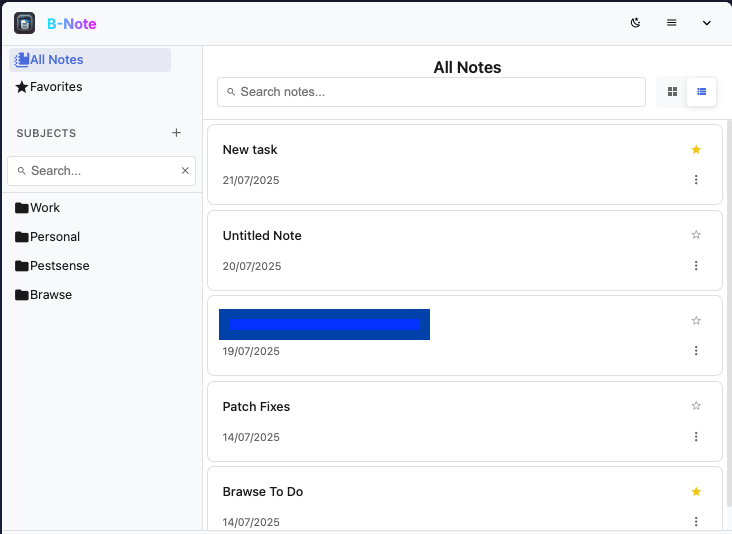
List View
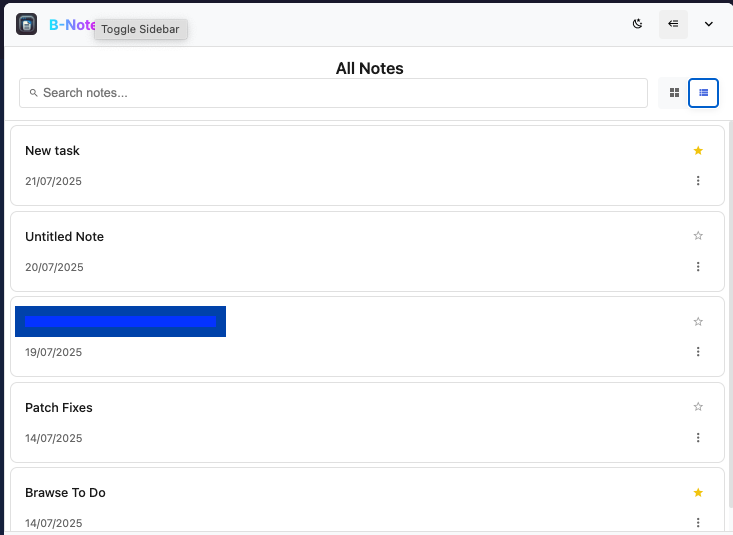
Collapsed Sidebar View
Seamless Browser Integration
Smarttabs Notes works where you work
Capture
Jot down ideas without leaving your current page. The note automatically saves as you type.
Organize
Add to subjects or tag notes when you're ready. The flexible system adapts to your workflow.
Retrieve
Find what you need through powerful search or by browsing your organized subjects.
The Smarttabs Notes workflow from capture to retrieval and vice versa
Your Notes Belong to You
We believe your thoughts should be private by default. That's why Smarttabs Notes:
Stores everything locally in your browser
Never sends your data to external servers
Provides easy export options when you need them
Frequently Asked Questions
How are notes stored? All data is stored locally in your browser's IndexedDB
Notes are stored in your browser's IndexedDB database, which provides reliable storage even when offline. Each note includes content, metadata, and version history.
Can I export my notes? Multiple export formats are supported
Yes! Export notes as PDF. Markdown and HTML (coming soon) . Bulk export all notes or select individual ones. Exports maintain formatting and metadata.
Is there a word limit for notes?
No hard limit exists, but performance is optimized for notes under 10,000 words. Very large notes may experience slower search indexing.
Can I use Smarttabs Notes offline?
Absolutely! All core functionality works offline. Changes sync when you reconnect. Offline use is a first-class feature, not an afterthought.
How do I suggest new features?
We welcome suggestions at [email protected] or through our feedback form. Many current features came from user requests!